Edgewise
A downloadable tool for Windows and Linux
🔥 30% OFF — limited time. $9.99 $6.99 until August 23.
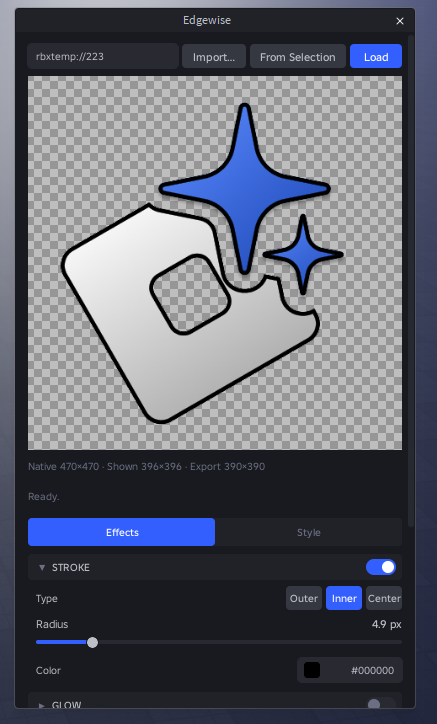
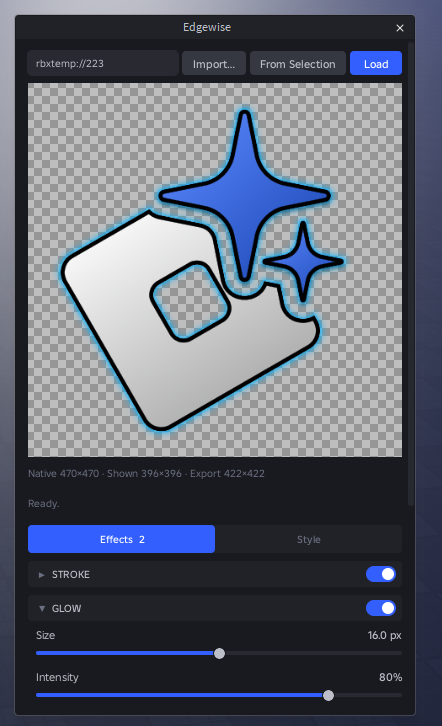
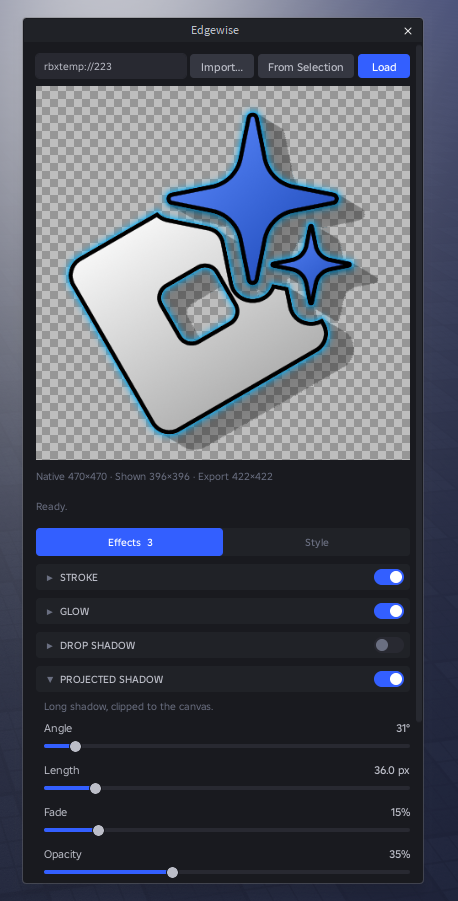
Edgewise bakes outlines, glow and shadows straight into your icon textures, inside Studio, with a real-time preview.
Every effect is derived from one exact Euclidean distance field over a supersampled alpha mask. That is what keeps them cheap: the whole stack composites in about 3 ms on a 256×256 icon, so dragging a slider stays smooth instead of freezing Studio.
Effects
- Stroke — outer, inner or center, fractional radius up to 32 px, any color.
- Glow — size, intensity, falloff, color.
- Drop shadow — offset X/Y, blur, spread, opacity, color.
- Projected shadow — long shadow at an angle, clipped to the canvas.
- Remove background — color key with tolerance and softness, feathered so an anti-aliased edge does not come back as a stair.
- Pixelize, grayscale, ordered dither — pixelize runs before the distance field, so the outline follows the blocky silhouette.
- Quality — alpha threshold and 2× / 4× / 8× supersampling.
Workflow
- Import a PNG, JPG, BMP or TGA from disk, pick from Studio’s asset picker, or paste an asset id.
- Pan and zoom the preview from 0.25× to 8× on a checkerboard — exact pixels at or above 1:1, bilinear below it. Native, displayed and export sizes are always on screen, so upscaling is never silent.
- Publish uploads the result as a new asset and prints the id.
- Apply live skips the upload and assigns the rendered image straight to a selected ImageLabel, ImageButton, Decal, Texture or MeshPart, in one undo step.
- Fit + transparent pixel fix + publish is the one-click path for Roblox’s 1024 px texture cap: it shrinks the source so the export lands under the cap instead of letting Roblox silently resize it, fixes the transparent pixels, publishes, and points the plugin at the new id.
- History lists everything published from the plugin, with thumbnails, reload and re-apply.
The dark halo, and why this fixes it
A pixel with alpha 0 still carries RGB, and the GPU does not know that — bilinear filtering and mipmaps mix that RGB into the visible neighbours, which is the dark fringe you get around an icon the moment it is drawn below 1:1. Edgewise gives every fully transparent pixel the color of the nearest visible one. Alpha is never touched, so the result is identical pixel for pixel where you can see it, and there is no fringe where you cannot.
Requirements
Roblox Studio on Windows or macOS. No external dependencies. Publishing goes through AssetService:CreateAssetAsync, which sits behind a Studio beta: turn on File > Beta Features > "CreateAssetAsync Lua API" and restart Studio, or the upload is refused. Loading, the preview and Apply live work without it.
Purchase
In order to download this tool you must purchase it at or above the minimum price of $6.99 USD. You will get access to the following files:
Leave a comment
Log in with itch.io to leave a comment.